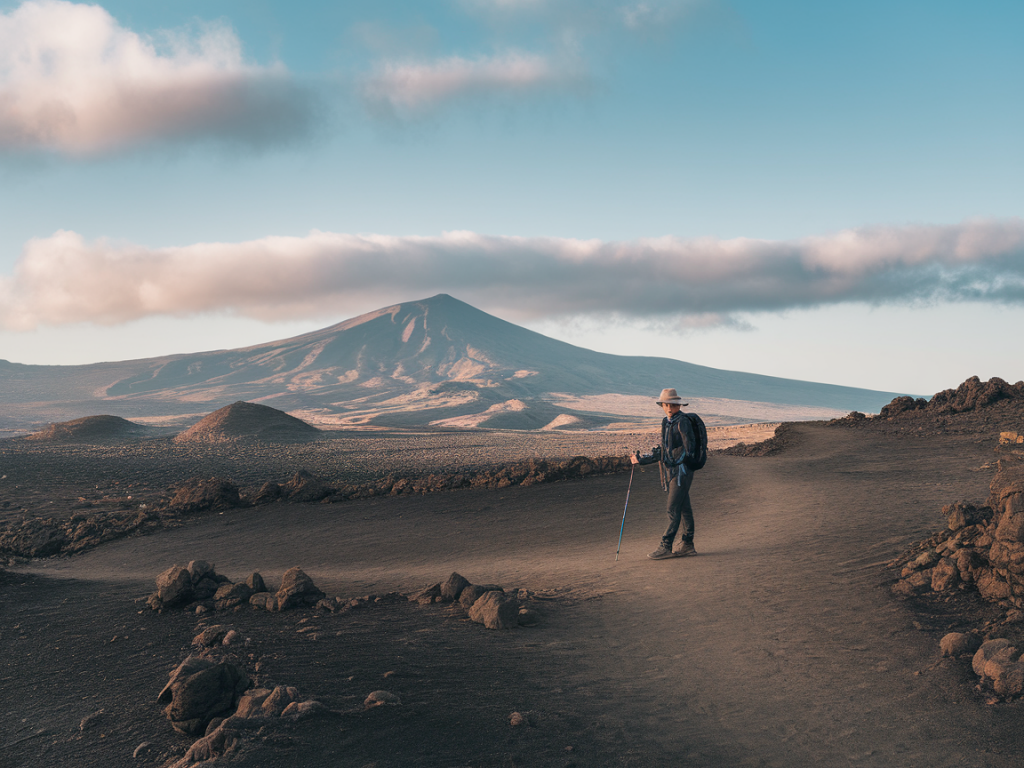
When I plan a coastal hike in Lanzarote, one of the first things I sort out is map and navigation — offline. The island’s volcanic terrain, sparse shade and occasional lack of phone signal mean relying on mobile data is a risky bet. Over the years I’ve learned which apps and devices to trust, how to cache routes properly, and simple battery and validation checks that make the difference between an easy day out and an unplanned detour. Here are the practical steps I use every time I head to the coast, whether it’s a scramble along Papagayo or a long walk around Famara’s headlands.
Why offline maps matter on Lanzarote
Lanzarote has large areas with no cell coverage, especially along remote coastal paths and lava fields. Even in places with coverage, signal can be patchy inside gullies or behind cliffs. Offline maps ensure you can:
- Follow GPX routes without data
- Check your position if you stray from the trail
- Access elevation contours and satellite imagery to assess tricky sections
- Share your location with a boat or friend using a pre-shared waypoint
Best apps and devices I use (and why)
I use a mix of smartphone apps and a dedicated handheld GPS depending on trip length and remoteness.
- Maps.me — Quick downloads, lightweight, very good for basic trails and offline navigation. Great for short hikes and when storage is limited.
- OsmAnd — Excellent for granular offline map downloads (region or specific tiles), open-source, and supports hillshading and contour lines. I like its offline Wikipedia POIs and track recording accuracy.
- AllTrails and Komoot — Useful for discovering curated coastal routes. I download GPX exports and then open them in a dedicated app (OsmAnd or Gaia) for reliable offline use.
- Gaia GPS — My go-to when I want topographic maps, satellite imagery and detailed route planning. The offline tile caching is robust and the app handles large GPX files well.
- Garmin eTrex / GPSMAP series — A handheld is my backup on longer or exposed routes. The battery life and ruggedness are unbeatable; no risk of unexpected app crashes.
- InReach Mini (Garmin) — For remote coastal hikes where I want two-way messaging and SOS. It’s not a navigation app per se, but great for redundancy and safety.
How to prepare offline maps and GPX routes
Before I go, I do these steps in this order:
- Pick the base map and route source. If the route is from a blog or guide, I export the GPX. If I’m creating my own, I draw it in Gaia or Komoot and export.
- Open the GPX in the navigation app where I’ll actually follow it. I prefer to do the final check in the same app I’ll use on the hike.
- Download offline tiles for the whole area with margin — at least 1–2 km extra around the route. If using Gaia or OsmAnd, choose a slightly higher zoom for coastline detail and contours.
- Cache satellite imagery if the app supports it (Gaia does). Satellite helps confirm features like rock outcrops, recent trail changes, or beach entrances.
- Save waypoints for key places: start point, end point, water refill (if any), escape routes, and checkpoints where I expect cell coverage.
How much offline map area and storage to save
I usually download a band that covers the route plus buffer. Practical rules I use:
- Short hikes (2–6 km): download a 2–3 km buffer around the trail. Maps.me tiles are small — a few dozen MB.
- Half-day coastal hikes (6–15 km): download a full 5 km margin and include satellite tiles — 200–800 MB depending on zoom level.
- Full-day or multi-day coastal routes: download entire sections in advance on Wi‑Fi and carry a spare SD card or use a device with plenty of storage. Satellite tiles at high zoom can push 1–3 GB.
Battery tips that actually save hours
Batteries are the number one issue I see on guided hikes. Phone nav drains fast. Here’s what I always do:
- Start with a full phone battery and a fully charged power bank (10,000–20,000 mAh depending on group size and trip length). I prefer Anker PowerCore or RAVPower for reliability.
- Use airplane mode with Bluetooth/GPS enabled when you don’t need calls. GPS works without cellular data and airplane mode prevents background apps from constantly searching for network.
- Lower screen brightness and set the map refresh interval (some apps let you adjust GPS polling frequency).
- Turn off notifications and background syncing (email, social media, cloud drives).
- Carry a small solar charger only as a top-up — don’t rely on it as main power unless you know it’s efficient under Lanzarote sun angles.
- For long / exposed routes, use a handheld GPS with replaceable AA batteries — they’re easier to swap than waiting to charge a phone.
Validating routes and avoiding surprises
Downloading a GPX is only half the job. I always validate:
- Compare the GPX against satellite imagery and contour lines. On Lanzarote, trails can cross recent lava fields or cliff-edges — satellite helps locate safe passes.
- Check elevation profiles. Short coastal distances can hide steep ascents on volcanic ridges. If the profile shows sharp climbs, anticipate scrambling gear or an alternate plan.
- Cross-check with local sources. I contact local dive or surf centres and local walking groups if the route looks borderline. Locals often know about recent path closures or beach access changes.
- Confirm tide and swell conditions where the route touches the shore. Some coastal paths are impassable at high tide. I use tide apps (e.g., MagicSeaweed, Windy) and mark safe windows on the map.
- Load multiple map styles: topographic + satellite + hillshade. That combination frequently reveals short cuts or dangerous cliff edges that a single map misses.
Simple habits that prevent navigation errors
Small routines help keep orientation when the trail disappears in black lava or scrub:
- Stop and check the map at every major waypoint or junction. Don’t wait until you’re lost to look down.
- Use the compass overlay for heading. It’s easy to misinterpret north-up maps when walking along the coast.
- Leave small paper backup: a printed summary with key bearings, distances and escape routes. Paper never runs out of battery.
- Share an ETA and GPX file with someone not on the hike. If I’m going solo I send the route and expected check-in times to a friend.
App comparison at a glance
| App / Device | Strength | Downside |
|---|---|---|
| Gaia GPS | Best topo+satelite, robust GPX handling | Subscription for full features |
| OsmAnd | Highly custom offline maps, contour lines | Some UI quirks, initial setup needed |
| Maps.me | Super simple, light on storage | Less detailed contours |
| Garmin handheld | Rugged, long battery life, reliable | Bulkier; map updates require a computer |
| InReach Mini | Satellite messaging & SOS | Subscription cost |
Final practical checklist I never skip
- Download offline tiles (with margin) and satellite imagery
- Export/import GPX to the app you’ll use, check waypoints
- Charge phone + power bank; carry spare batteries for handheld GPS
- Put phone in airplane mode with GPS on during hike
- Validate route against satellite imagery, contours and tide tables
- Share GPX and ETA with a contact off-island
- Carry a small paper note with key bearings and escape routes
On Lanzarote, good planning transforms coastal hikes into relaxed, scenic adventures. With the right offline maps cached, a sensible battery plan and a quick route validation, you can focus on the coastline, the wind and the sea — not on whether your phone will keep you on track. If you want, I can share GPX files for some of my favourite coastal walks around Papagayo, Famara and the less-frequented western cliffs — just tell me which area and how long you want to hike.